How to Use a Budget Template in Google Sheets
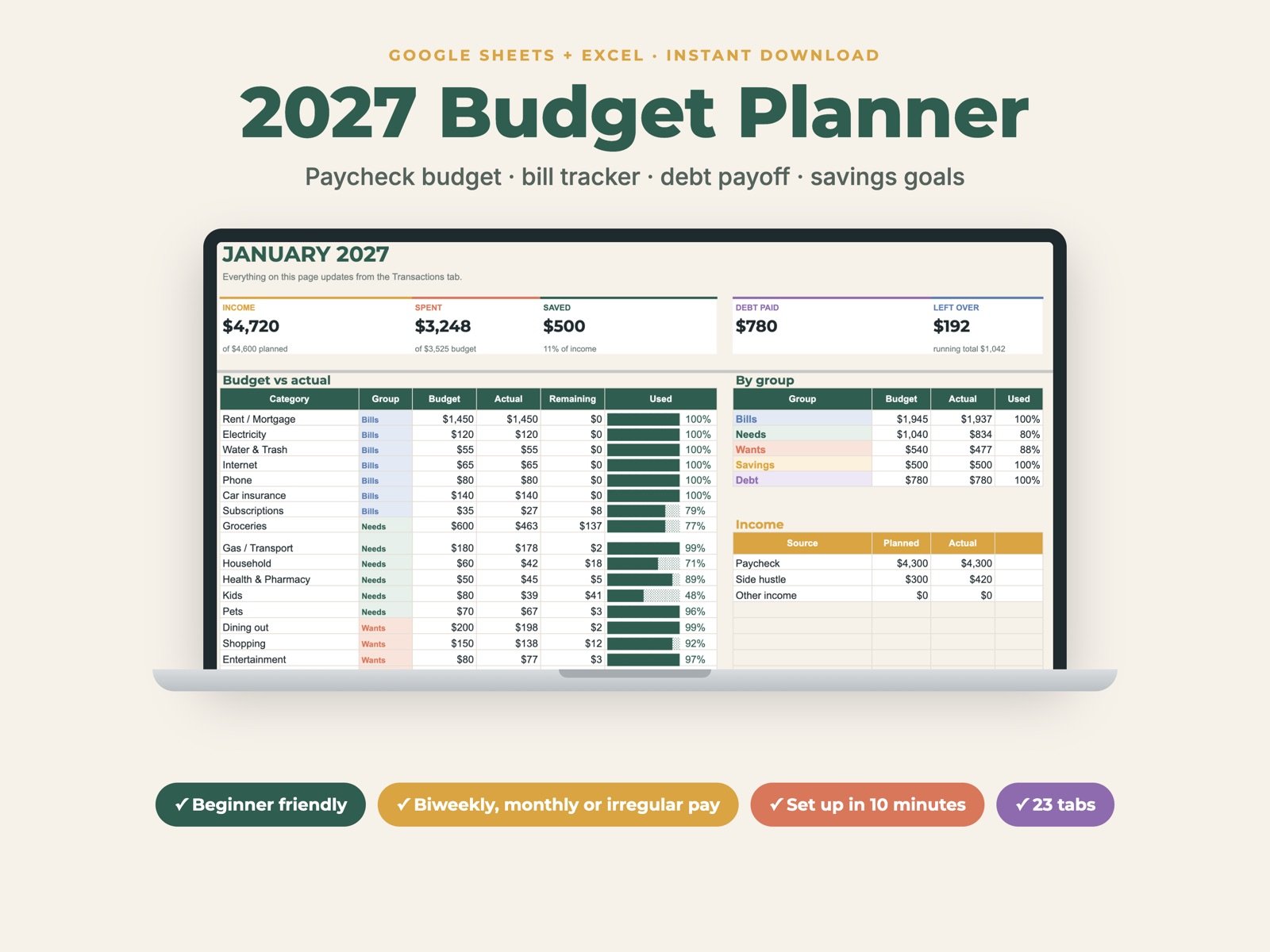
A good budget spreadsheet does the adding up for you, so all you do is type in numbers. Here's how to set one up in Google Sheets and, more importantly, keep using it after January.
1. Make your own copy
Most templates come as a "make a copy" link. Open it while signed in to your Google account and click Make a copy. The copy lives in your own Google Drive, so only you can see it. You can use the free Google Sheets app on your phone too, though setup is easiest on a computer.
2. Fill in the Setup tab first
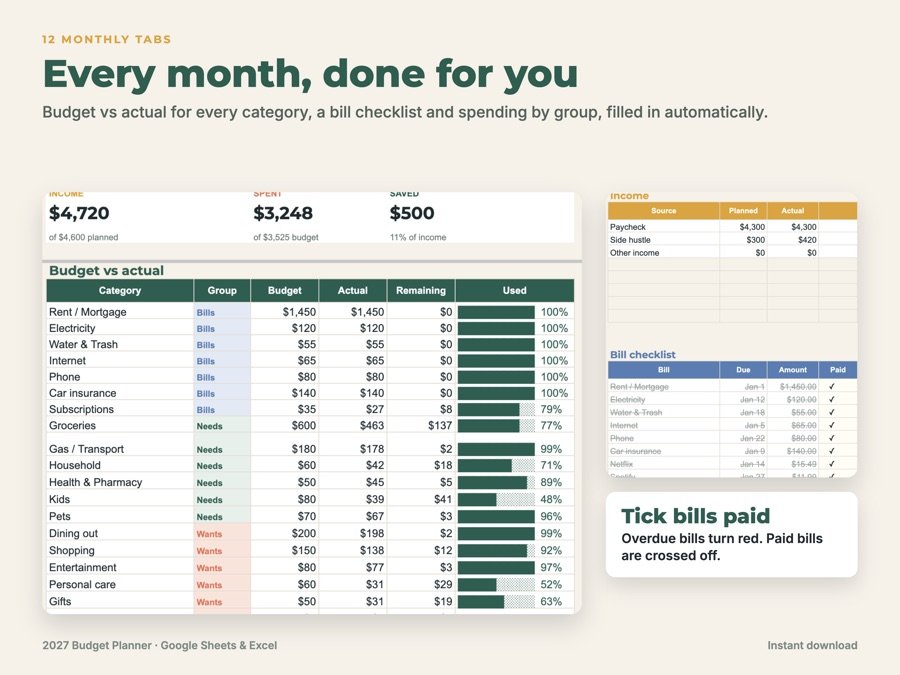
Good templates have one place for the things that rarely change: your pay schedule, income, bills and categories. Fill this in once and the monthly pages should update automatically. If you find yourself typing the same bill into twelve tabs, the template is doing too little.
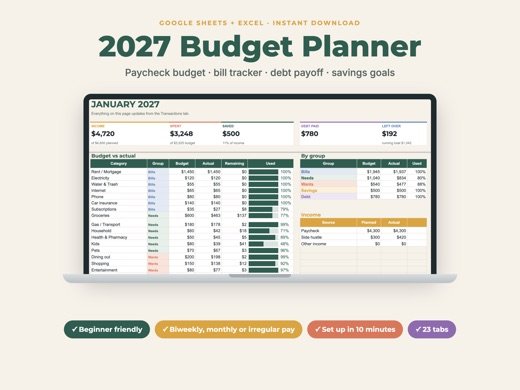
A paycheck budget, bill tracker, debt payoff and savings planner in one spreadsheet.
See it for $193. Track spending the easy way
You have two options. Type purchases in as you go, or download your bank transactions once a week and paste them in. Pasting is faster and you won't miss anything. Some templates can sort pasted transactions into categories using rules you choose.
4. The 15-minute weekly check-in
- Add or paste this week's transactions.
- Look at which categories are over or under.
- Move money between categories if needed, rather than giving up on the month.
- Check what's due before the next paycheck.
Common mistakes
- Too many categories. Start with 10 to 15. You can split them later.
- Forgetting yearly bills. Car registration, subscriptions and gifts belong in sinking funds you add to every month.
- Quitting after one bad month. A budget is a plan you adjust, not a test you pass or fail.
This guide is general information, not financial advice.
Helpful resources
Try 6 printables free
A bingo card, a large-print word search, a meal plan, a chore chart, an emergency-contacts page and a practice plan. Print them tonight.